Skip to main contentSkip to navigation
Switching apps? We move your data over, free.How it works
hello@getomniops.com

Book jobs, send invoices, get paid. Built for home service businesses

Jobs, quotes, invoices and payments. AI included. $29 a month for 1 user.

14 days free. Cancel any time.

Price books ready for 43 trades, including HVAC, Plumbing, Electrical, Pressure Washing, House Cleaning, Lawn Care.

From the first call to getting paid.

One app runs the whole job, on the web and on your iPhone.

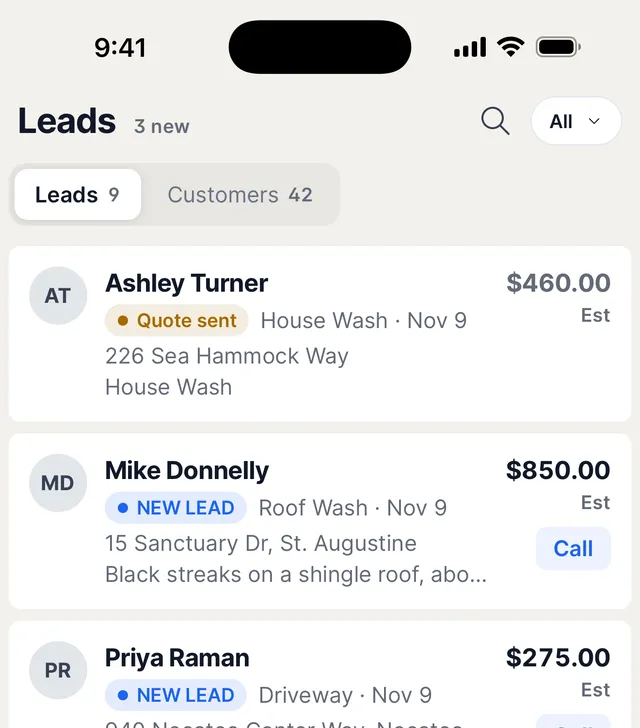
The Leads list on the phone: new leads with the job each one asked for and its estimate

Book the job

Missed calls, web forms and ad leads go into one list. Drag the job onto a crew.
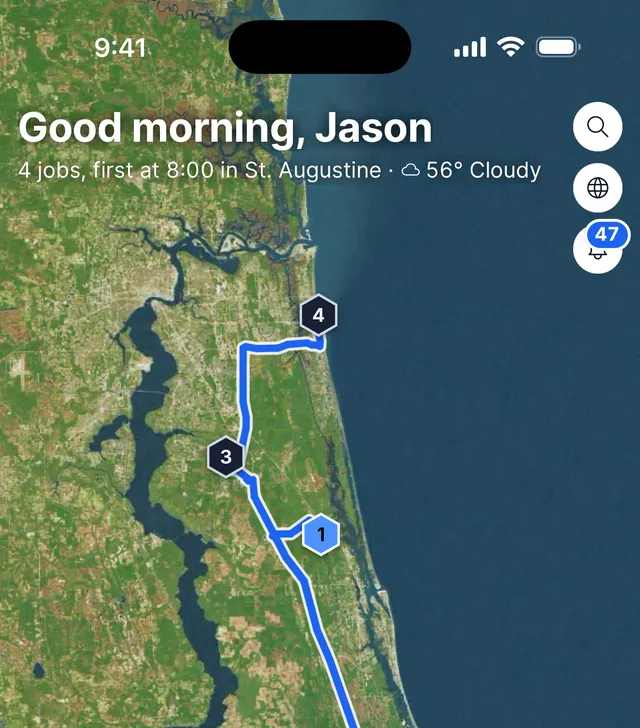
The Today tab on the phone: the day’s four stops in driving order on a map

Do the work

Address, gate code, timer and photos on their phone, even with no signal.
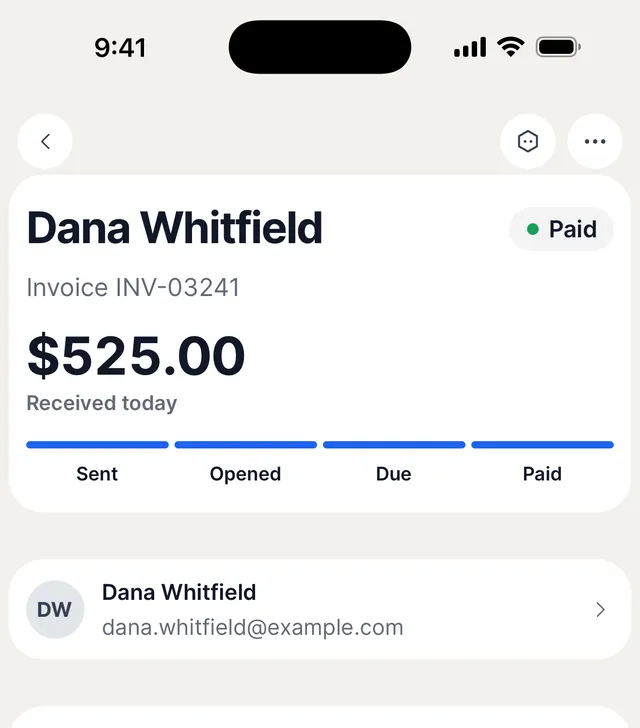
A paid invoice on the phone: $525.00, received today

Get paid

Text the invoice, or take a card in person with Tap to Pay on iPhone. No card reader needed.

Tap to Pay on iPhone

Every feature is included. No add-ons.

Scheduling

Schedule every crew on one screen.

Each crew has its own row. Drag a job onto a crew and it shows up on their phone.

Start free
Leads

Every missed call, web form and ad lead goes into one list.

A missed call gets a text back in seconds. The lead to call first is at the top.

Start free
Sorry we missed you! Book a time here, or reply and we’ll call right back.
sent automatically, 7:12 AM
AC isn’t cooling. Can someone come today?
TB
Tom BeckerNEW LEADAC not cooling, Point Loma
$513 estCall
EM
Elena MoralesWater heater leaking, North Park
$1,850 est
PR
Priya RamanFurnace service, Carmel Valley
$189 est
Quotes

Send quotes by text and see when customers open them.

Build it from your price book. They sign on their phone, and the signed quote becomes a job.

Start free
Tom Becker
Q-1107
$513.00
SentOpenedSignedBooked
Diagnostic service call$89.00
Capacitor replacement$225.00
AC coil cleaning$199.00
Signed on his phone
Invoices and payments

Send invoices by text. Reminders send themselves.

Every invoice has a link to pay by card, Apple Pay or bank. Reminders stop as soon as it’s paid.

Start free
Kim Nguyen, INV-1042 PAID
DAY 1
Invoice sentBy text, with a pay link
DAY 3
Reminder sentAutomatic
DAY 8
Reminder sentAutomatic
DAY 9
Paid $1,240.00Receipt sent. Reminders stopped.
Omni, included in every plan

The AI assistant that understands real commands.

Type or say what you need and Omni does it. Anything you ask it to send waits for your OK.

Start free
Who owes me money?
5 customers owe $10,885.53 2 overdue
Tara Whitfield5 days late
$2,542.90
Lisa Park1 day late
$671.88
Owen Marshdue Sunday
$1,240.00
Remind the 2 latenothing happens until you tap
Campaigns

Send text or email campaigns to win back past customers.

Pick a list of past customers and send a ready-made message. The follow-ups go out until they reply.

Start free
Hi Sarah, Harbor Air has a few openings this week. Want us to come by for your next service? Reply YES or book a time.
YES
Booked, Tue 9:00 AM
86Texts sent
23Replied
9Jobs booked
Example numbers. Opted-out customers are skipped.
On iPhone

Run the day’s jobs from the app.

Each tech sees only their own jobs: address, gate code, timer and photos. It works with no signal.

Start free
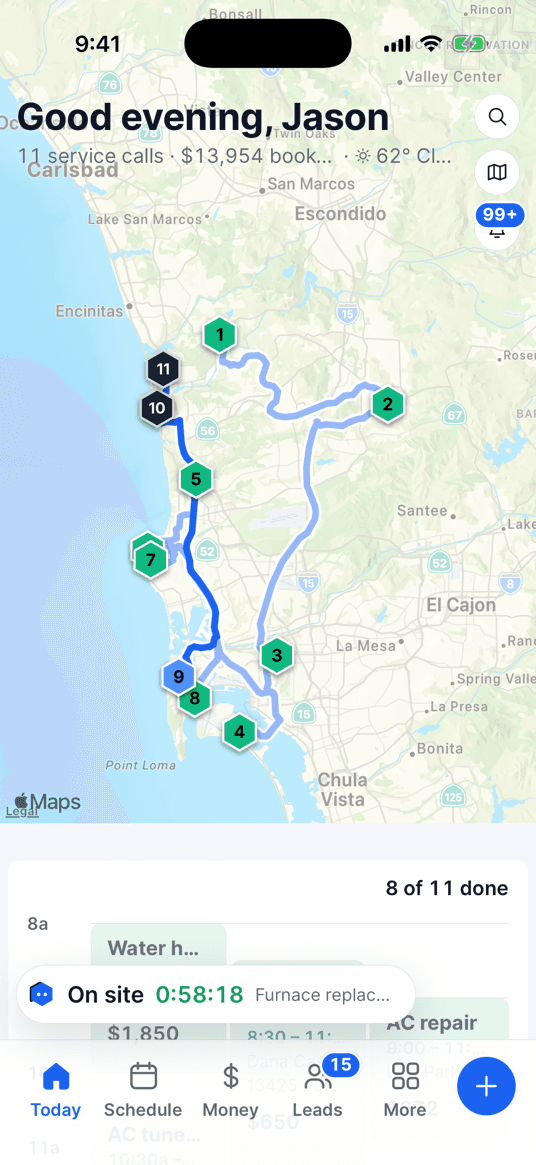
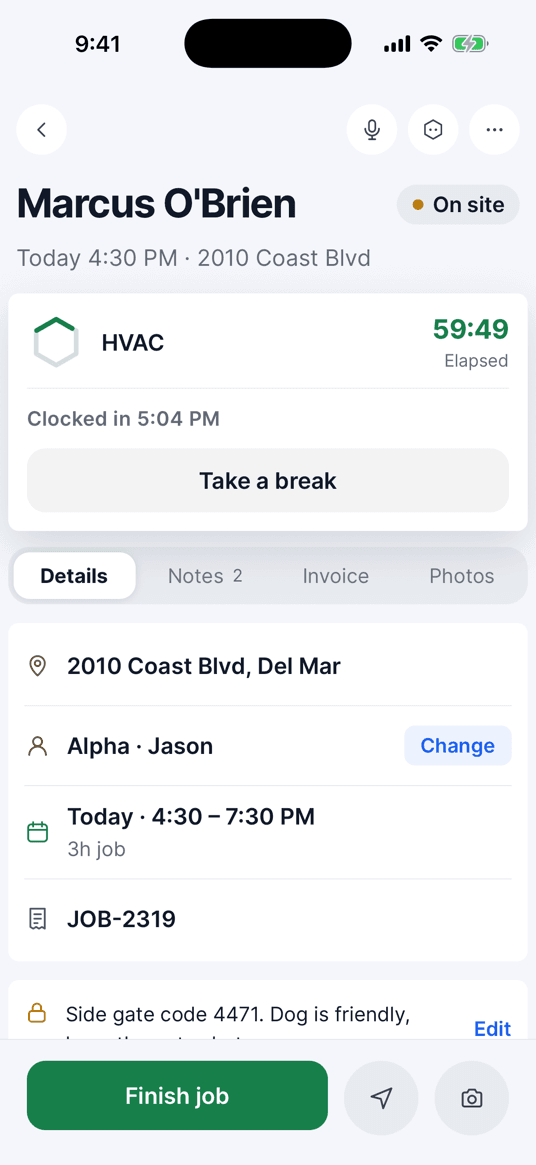
The Today tab on the phone: the day’s stops on a mapA running job on the phone, with its timer, address and notes

See every feature

Your whole day on one screen.

Money in, who owes you, today’s jobs on the map, and what needs you next.
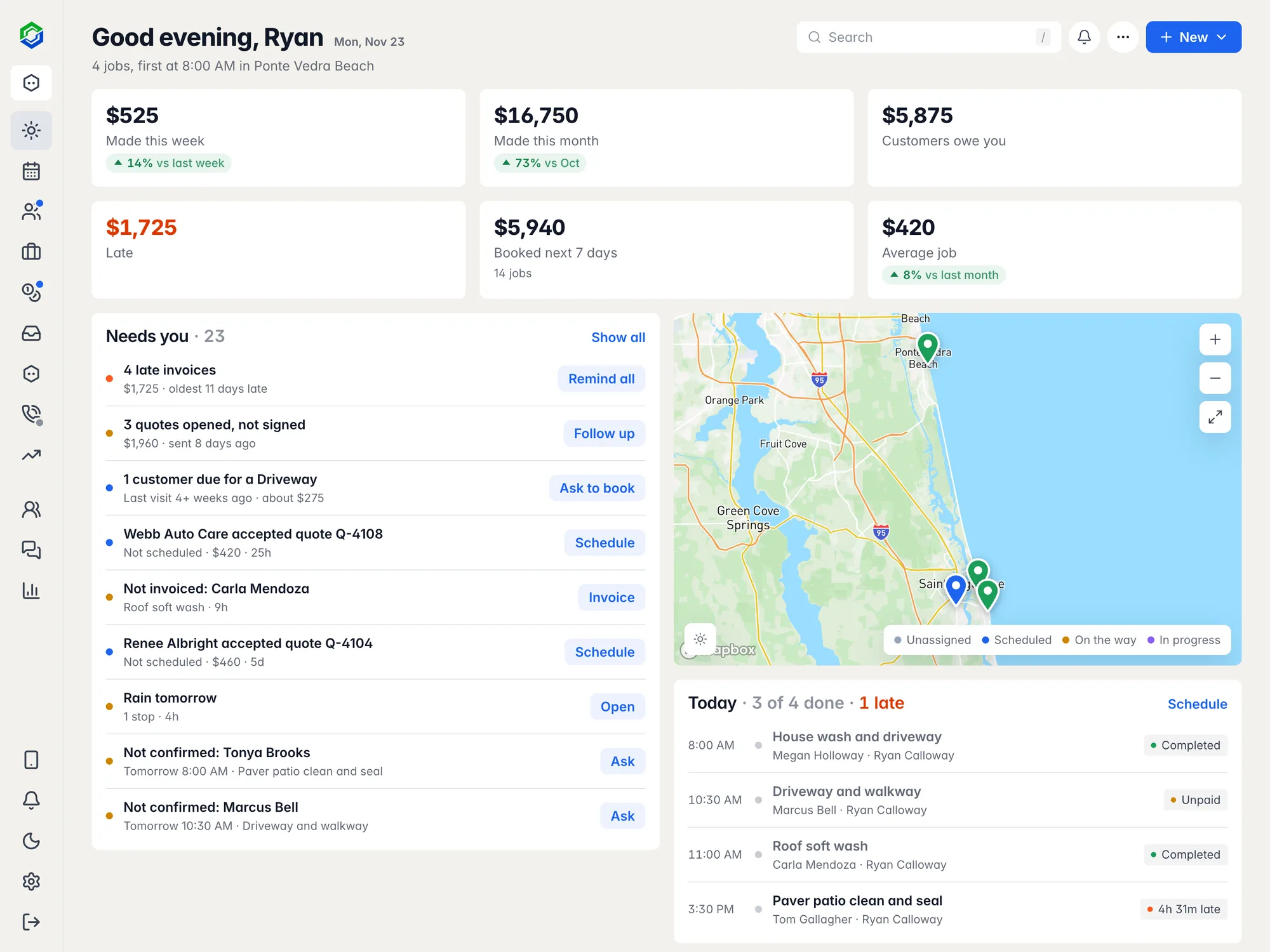
The Today page of the OmniOps desktop app: money this week and month, what needs you, and today’s jobs on a map.

See how it works

What to do on your first day.

  1. Pick your tradeYour services and prices load automatically.
  2. Bring your customersUpload a spreadsheet, or send it and we load it free.
  3. Get the appScan the code on your computer with your iPhone.
  4. Send your first quoteYour prices are already loaded.

One plan with every feature, priced by crew size.

The price covers the web software and the iPhone app for everyone on your team.

1 user
$29 /mo

For an owner who does the work.

Start free
Up to 5 people
$69 /mo

Each person uses their own phone and sees their own jobs.

Start free
Up to 10 people
$129 /mo

For several crews on the same schedule.

Start free

14 days free. Cancel any time. Pays for itself in month one, or that month is refunded.

Every plan includes

  • AI answering
  • Two-way texting
  • Route planning
  • Reminders
  • Online booking
  • Quotes & invoices
  • Marketing campaigns
  • Review requests
  • QuickBooks sync
  • iPhone app

Campaign texts and emails use prepaid credit.

What a 5-person crew pays per month

OmniOps$69
Housecall Pro Essentials$189
Jobber Grow$299
Prices as of Nov 2026, before add-ons. housecallpro.com/pricinghousecallpro.com/pricing, getjobber.com/pricinggetjobber.com/pricing

Common questions

Will it text my customers without asking?

Only the automatic texts you leave on: a new shop starts with a reply to each new lead and a text with the invoice when a job ends unpaid, and you can turn either off in Automations. Anything you ask Omni to send waits for your OK, and everything it does is logged.

Does it work with no signal?

Mostly: jobs, notes, photos, clock-ins and cash payments save offline and sync when you’re back. Taking a card and asking Omni need signal.

Can my crew use it?

Yes, on a team plan each person uses their own phone and sees their own jobs. The $29 plan is for one user; tap “See larger team plans” in the pricing section for bigger crews.

Do I need a card to start the trial?

No. Your 14-day free trial starts when you finish setup, and you add a card only to keep going after it.

What happens on day 15?

Nothing, unless you’ve added a card. If you have, it’s charged for your plan (from $29 a month); if not, the trial ends and you add one when you’re ready.

What does it cost to take a card?

A processing fee on each card or bank payment, shown before you charge. The money goes to your own Stripe account.

Is there an Android app?

Not yet. It’s on iPhone and the web today.

Where should you start?

Planning your first jobs? The service-business guides cover startup costs, pricing and quote follow-ups, with worked examples you can adapt. Use the free job price calculators with your own rates.

Choosing software? Compare OmniOps with Jobber, Housecall Pro or Workiz, then check the plans for your team size.

Try it free for 14 days.

Questions first? Email me: hello@getomniops.com

OmniOps | Field Service Management Software