
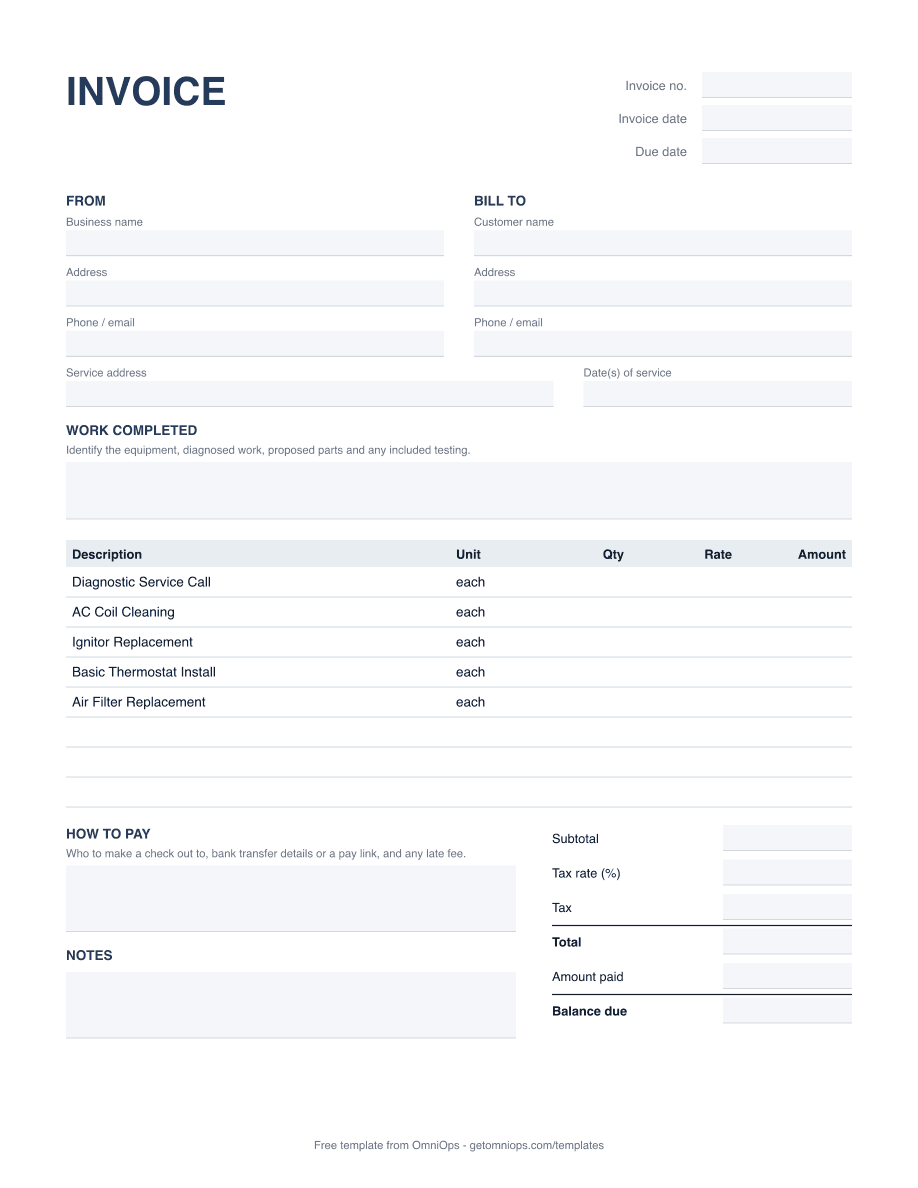
What to put on a HVAC invoice
Start with what every invoice needs, then list the work the way you charge for it.
- Your business name, address, phone and email.
- The customer’s name and billing address, and the service address if it’s different.
- An invoice number. Use each number once, so you and the customer can find the invoice later.
- The invoice date and the date payment is due.
- Each piece of work on its own line, with the unit, quantity, rate and amount.
- The subtotal, the tax rate and tax, and the total.
- Any amount already paid and the balance due.
- How to pay, and any late fee you charge.
| Line | Unit | Type of work |
|---|---|---|
| Diagnostic Service Call | each | Service Calls |
| AC Coil Cleaning | each | Air Conditioning |
| Ignitor Replacement | each | Heating |
| Basic Thermostat Install | each | Thermostats |
| Air Filter Replacement | each | Air Quality |
The same price book prices HVAC work in these ways: a set price per job or item, by the hour, by the pound, as a yearly plan, per visit, by the linear foot and per zone. Write the unit on every line, so the customer can check each amount.
Other HVAC work you might list: service calls, air conditioning, heating, thermostats, air quality, system installation & replacement, maintenance plans, ductwork & air distribution, indoor air quality and repairs & parts.
Work completed: Identify the equipment, diagnosed work, proposed parts and any included testing.
Notes: Separate duct alterations, electrical upgrades, disposal and any warranty conditions.
How to fill in the HVAC invoice template
- Download the file you want to work in. In the PDF, click a box and type. In the Word file, replace the words in brackets. In Excel or Google Sheets, type in the blank cells.
- Fill in your business details and save a copy as your own blank, so the next one starts with them.
- Give the invoice the next number in your series. Enter today’s date and the date payment is due.
- Under “Work completed”, describe what you did and when. Identify the equipment, diagnosed work, proposed parts and any included testing.
- Change or delete the sample lines and add your own. Enter the quantity and your rate on each line. The Excel file works out each amount, the tax and the total; in the PDF and Word files, add them up and type them in.
- Enter any deposit or payment already received and the balance due. Under “How to pay”, say how the customer can pay you.
- Save it as a PDF and send it to the customer. Keep a copy with the job.