
Customers book, sign and pay without calling you.
Your booking page takes requests at any hour. The customer portal shows each customer their visits, quotes and invoices. It all opens on any phone or computer, with nothing to download.
What it does
Booking page
Customers book themselves. Cleaning businesses can show instant prices.
Booking form for your website
Put the same booking form on your own site.
Customer portal
Visits, quotes and invoices in one place, with payment.
Confirm or change a visit
From the reminder text, without phoning the office.
How it works
Turn on your booking page and share the link.
Booking requests wait for you to confirm.
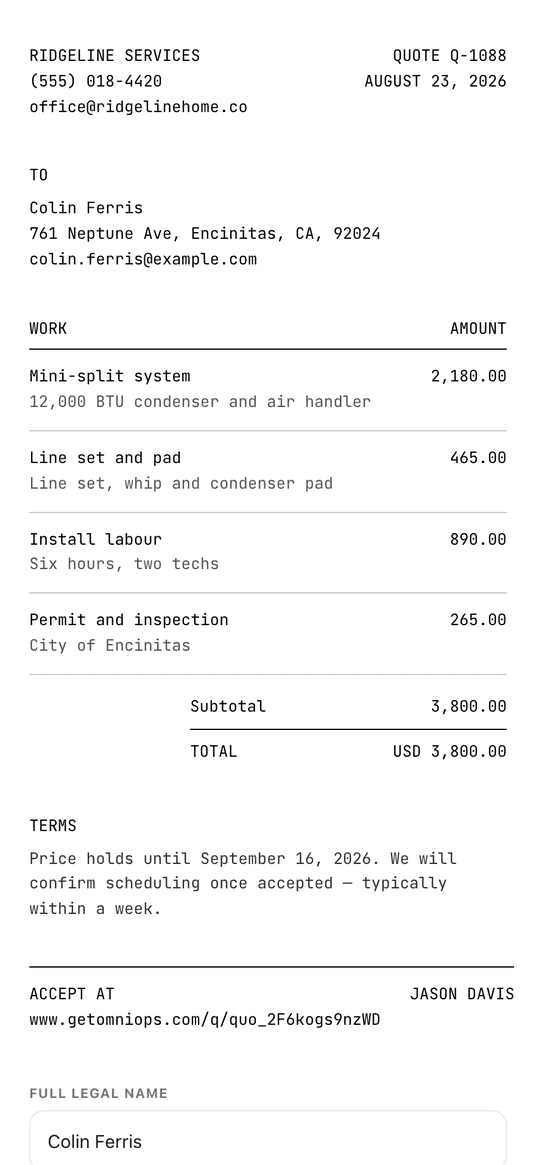
Customers sign quotes and pay invoices online.
Everything they do shows on their customer profile.
What’s included
In every plan. The computer and the iPhone app share one account.
| Feature | Computer | iPhone |
|---|---|---|
| Booking pageCustomers book themselves, with instant prices for cleaning | ✓ | ✓ |
| Booking form for your website | ✓ | ✓ |
| Online booking requestsBookings from your booking page, waiting for you to confirm | ✓ | ✓ |
| Customer portalCustomers see visits, quotes and invoices, and pay | ✓ | ✓ |
| Online quotesThey pick an option and sign | ✓ | ✓ |
| Online invoicesPay by card or bank, add a tip, or pay over time | ✓ | ✓ |
| Agreement signing | ✓ | ✓ |
| Confirm or change a visitFrom the reminder text | ✓ | ✓ |
| Live tracking linkThe customer sees their tech coming on a map | ✓ | ✓ |
Questions people ask.
Do customers need to download an app?
No. Booking, the portal, quotes and invoices open in the browser on any phone or computer.