
Repeat services that book themselves.
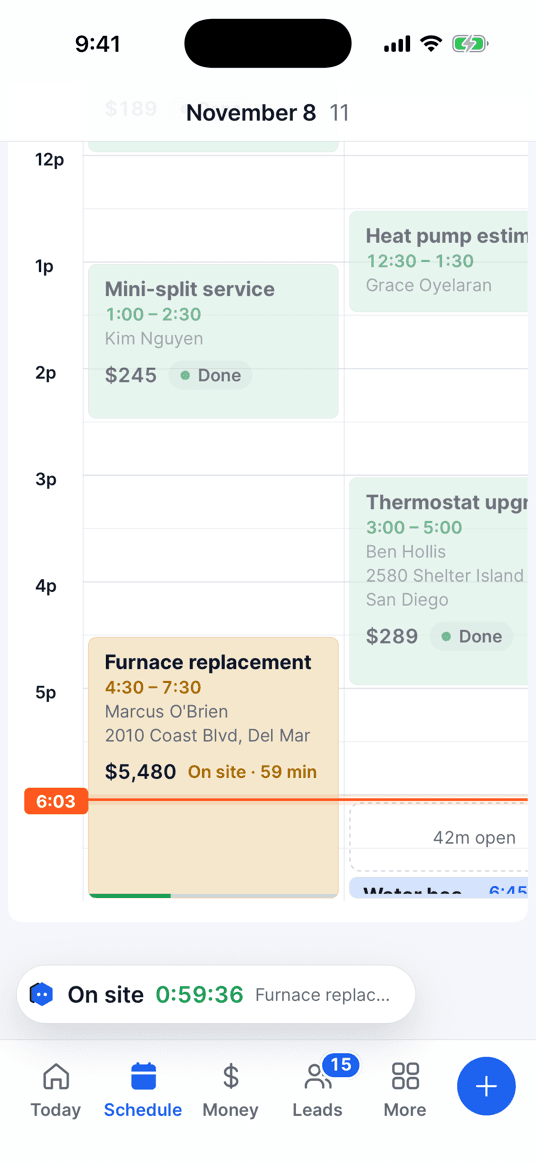
Set a job to repeat and it stays on the calendar. Group regular customers into weekly routes, and sell maintenance plans that include visits and renew on their own.
What it does
Recurring jobs
Jobs that repeat on a schedule, with skip and pause.
Weekly routes
Repeating weekday loops of customers, in driving order.
Service plans and memberships
Maintenance plans with set visits and auto-renew.
Card on file
Charge the saved card after each repeat visit.
How it works
Book the first visit and set how often it repeats.
Add the customer to a weekly route if you run one.
Skip or pause a visit when the customer asks.
Bill each visit, or charge the card on file.
What’s included
In every plan. The computer and the iPhone app share one account.
| Feature | Computer | iPhone |
|---|---|---|
| Recurring jobsJobs that repeat, with skip and pause | ✓ | ✓ |
| Weekly routesRepeating weekday loops of customers in driving order | ✓ | ✓ |
| Service plans and membershipsMaintenance plans with visits and auto-renew | ✓ | ✓ |
| Card on fileCharge the saved card when the job is done | ✓ | ✓ |
| Rental calendar syncAirbnb and VRBO calendars book turnover cleans | ✓ | ✓ |
| Route planningPut a day in driving order, across every truck | ✓ | ✓ |
Questions people ask.
Can a customer skip one visit?
Yes. Skip one visit or pause the series; the rest of the schedule stays.
Can rental turnovers book themselves?
Yes. Connect an Airbnb or VRBO calendar and turnover cleans are booked from it.