
Everything a tech needs for the day, on their iPhone.
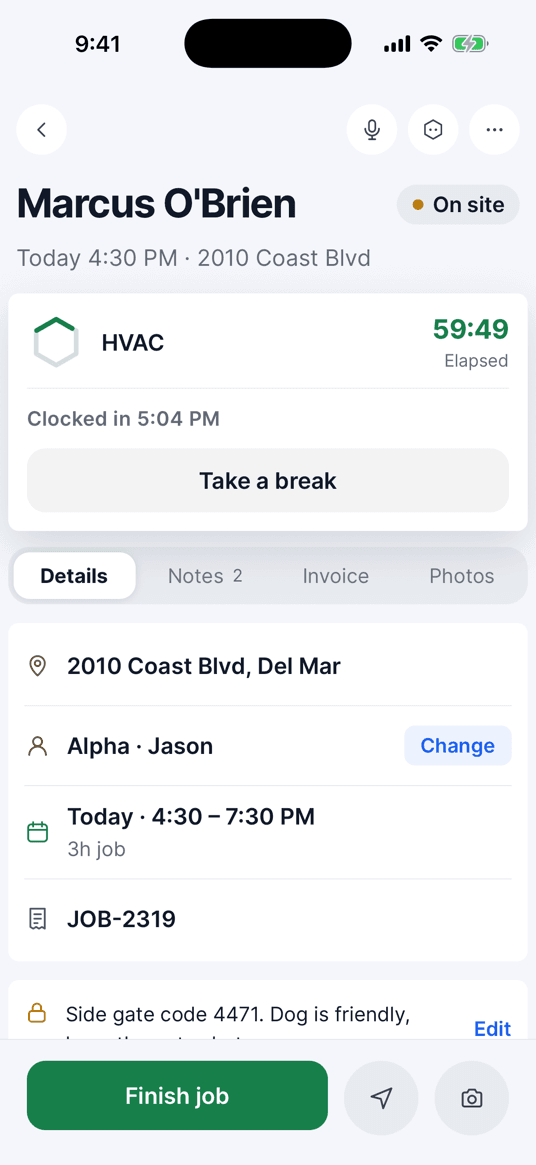
My Day shows a tech their jobs, the route and their clock. On site they take photos, tick checklists, get a signature and close the job. Hours go to timesheets you approve.
What it does
My Day
A tech’s jobs, route and clock on one screen.
On site
Photos, checklists, custom forms, signatures and change orders.
Clock in and out
With breaks, reminders and weekly timesheets to approve.
Works with no signal
Jobs, notes, photos and clock-ins sync later.
Roles
Invite your team and choose what each person can see.
How it works
Invite your techs and set their roles.
They open My Day and start the first job.
They close each job with notes, photos and a signature.
You approve hours and send them to Gusto.
What’s included
In every plan. The computer and the iPhone app share one account.
| Feature | Computer | iPhone |
|---|---|---|
| My DayA tech’s jobs, route and clock in one screen | ✓ | ✓ |
| On my way textTexts the customer an arrival time | ✓ | ✓ |
| Job timerStart, pause and finish the job clock | — | ✓ |
| Job photosBefore, during and after | ✓ | ✓ |
| ChecklistsTick off each step on site | ✓ | ✓ |
| Custom formsYour own forms, filled in on the job | ✓ | ✓ |
| Customer signaturesSigned on the phone when the job closes | — | ✓ |
| Change ordersAdd work mid-job; the customer approves it | ✓ | ✓ |
| Works with no signalJobs, notes, photos and clock-ins sync later | — | ✓ |
| Clock in and outWith breaks and reminders | ✓ | ✓ |
| TimesheetsReview and approve hours each week | ✓ | ✓ |
| Invite your teamRoles, and what each person can see | ✓ | ✓ |
| Spanish for techsTech screens in Spanish | — | ✓ |
| Gusto payrollSend approved hours to Gusto | ✓ | ✓ |
Questions people ask.
Which phones does the tech app run on?
The OmniOps app is on the iPhone. Anyone can also use OmniOps in a web browser.
Can techs see prices or other techs’ pay?
Each person sees what their role allows. A tech sees their own pay and tips.