
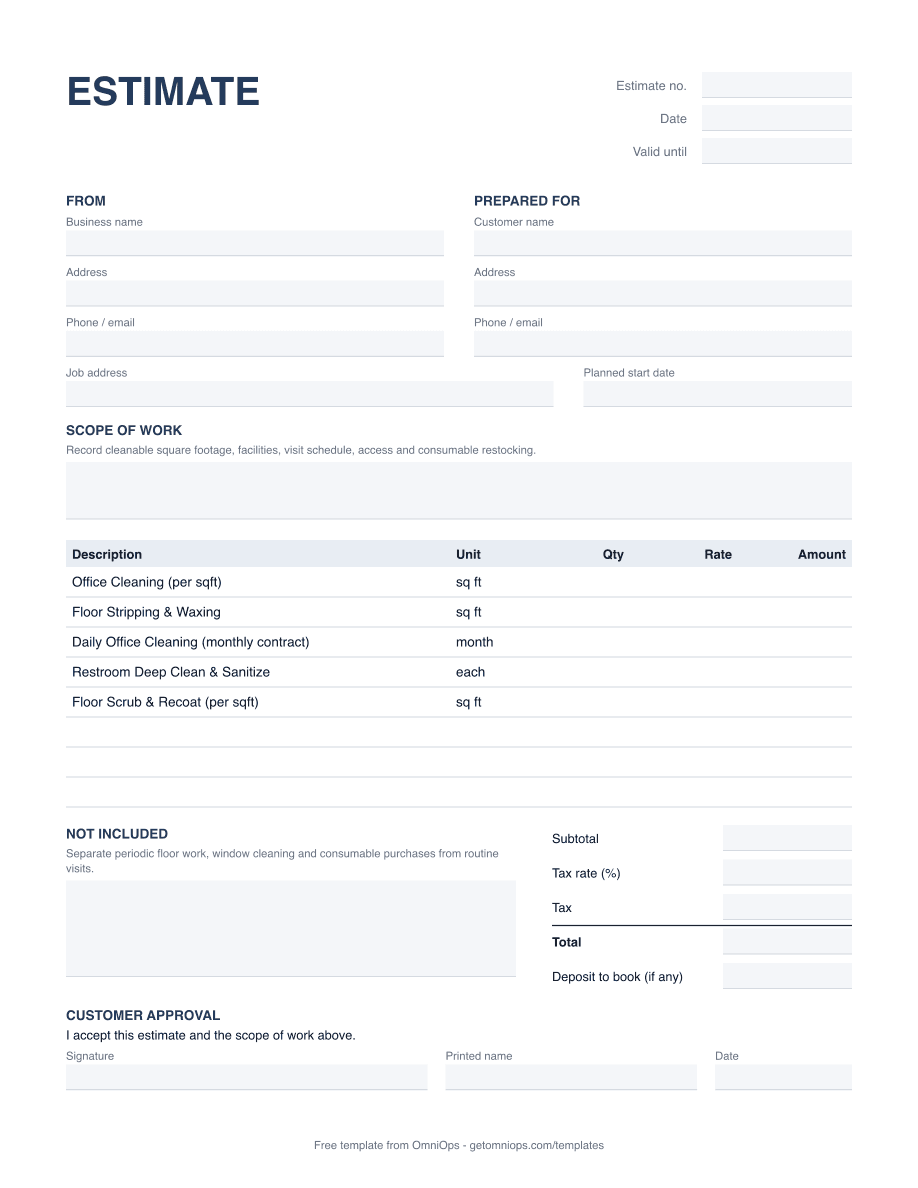
What to put on a commercial cleaning estimate
Start with what every estimate needs, then list the work the way you charge for it.
- Your business name, address, phone and email.
- The customer’s name and the job address.
- An estimate number, the date and how long the price holds.
- The scope of work: what you will do, where and how often.
- Each piece of work on its own line, with the unit, quantity, rate and amount.
- The subtotal, the tax rate and tax, and the total, plus any deposit you need to book the job.
- What is not included, so extra work is priced before you do it.
- A place for the customer to sign and date their approval.
| Line | Unit | Type of work |
|---|---|---|
| Office Cleaning (per sqft) | sq ft | Office Cleaning |
| Floor Stripping & Waxing | sq ft | Specialty |
| Daily Office Cleaning (monthly contract) | month | Recurring Service Plans |
| Restroom Deep Clean & Sanitize | each | Restroom & Sanitation |
| Floor Scrub & Recoat (per sqft) | sq ft | Floor Care Services |
The same price book prices commercial cleaning work in these ways: by the square foot, a set price per job or item, as a monthly plan, per visit, by the hour, per fixture, by the window and by the gallon. Write the unit on every line, so the customer can check each amount.
Other commercial cleaning work you might list: office cleaning, specialty, recurring service plans, restroom & sanitation, floor care services, window & glass care, specialty & deep cleaning, commercial & industrial, janitorial supplies & consumables and equipment & dispenser installation.
Scope of work: Record cleanable square footage, facilities, visit schedule, access and consumable restocking.
Not included: Separate periodic floor work, window cleaning and consumable purchases from routine visits.
How to fill in the commercial cleaning estimate template
- Download the file you want to work in. In the PDF, click a box and type. In the Word file, replace the words in brackets. In Excel or Google Sheets, type in the blank cells.
- Fill in your business details and save a copy as your own blank, so the next one starts with them.
- Give the estimate a number, today’s date and a “valid until” date.
- Under “Scope of work”, describe the job. Record cleanable square footage, facilities, visit schedule, access and consumable restocking.
- Change or delete the sample lines and add your own. Enter the quantity and your rate on each line. The Excel file works out each amount, the tax and the total; in the PDF and Word files, add them up and type them in.
- Under “Not included”, list what the price leaves out. Separate periodic floor work, window cleaning and consumable purchases from routine visits.
- Save it as a PDF and send it. When the customer agrees, ask them to sign and date the approval line and keep the signed copy.